
Scripts gallery
Browse and add community Echo Scripts, publish your own, and what happens when a script is unpublished or removed.
The Scripts gallery holds studies that members built in Echo Script. Add one to your chart in a click, then change its inputs.
Browse and add#
Ways in:
- Pulse picker: open Indicators and use the community tabs, Editors' picks, Following, Popular and Trending. Filter by On price, Own pane or a tag, and sort by most added.
- Library: from your script library, choose Browse the gallery.
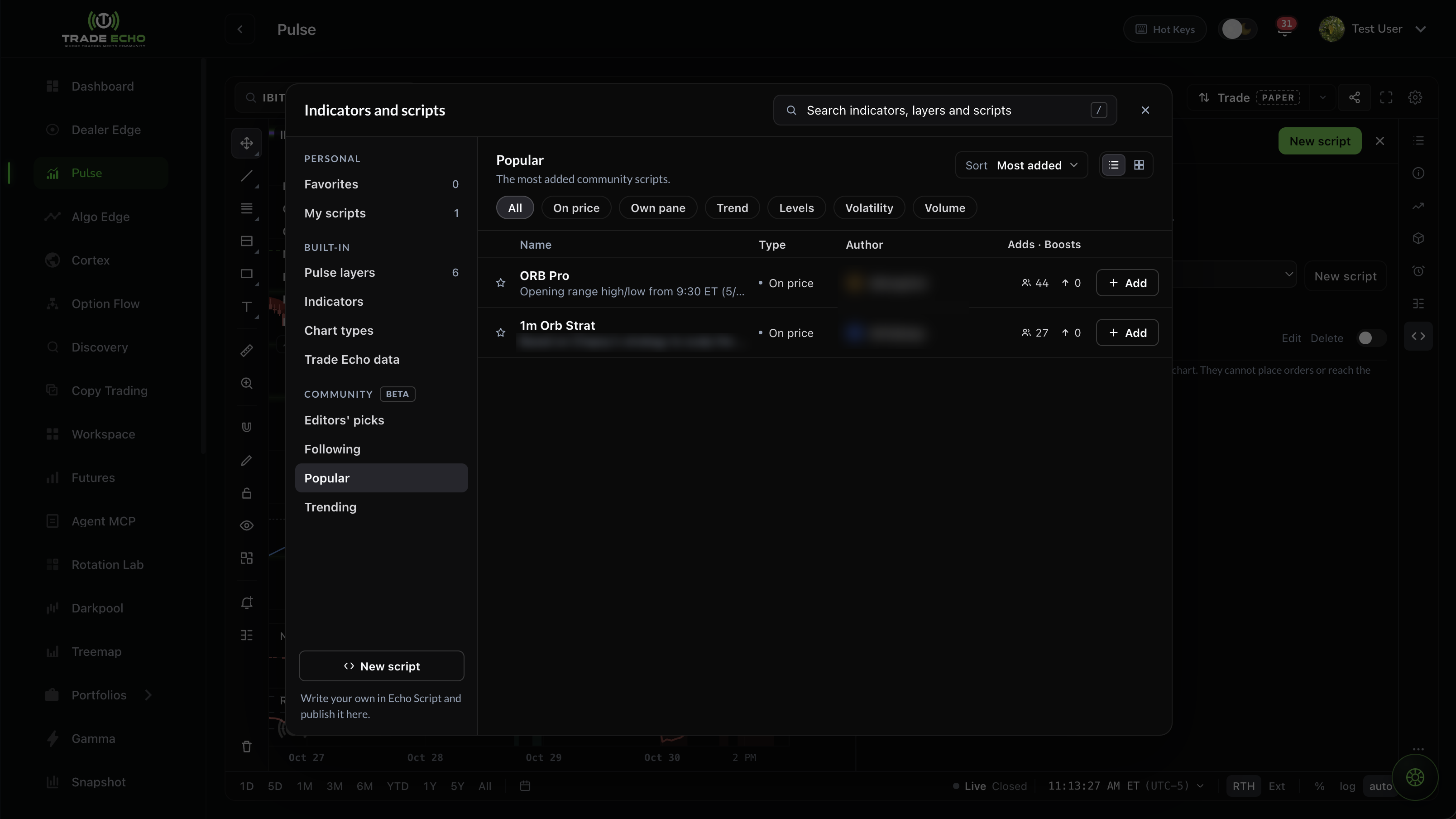 Popular community scripts in the Pulse picker
In the gallery:
- Search, for example "VWAP".
- Sort by Popular or New.
- Filter by tag (Levels, Volatility, Trend, Volume) and by where the script draws (On price or Own pane).
A script's page has Add to chart and Make a copy:
- Add to chart runs the published version.
- Make a copy saves an editable copy to your own scripts.
Open-source scripts show their code read-only. Protected scripts hide it.
Something wrong with a script? Use Report on its page. Reports go to our team, not to the author.
Publish a script#
You publish from the Publish pane in the web editor.
First time only: pick a username. It's 3 to 20 lowercase letters, numbers or underscores, and it's set once.
Before you publish:
- Save the script.
- Run it once, so it can be checked.
- It must compile and run in 60 ms or less.
The listing:
| Field | Rule |
|---|---|
| Name | 3 to 48 characters |
| One-line description | up to 90 characters |
| Tags | up to 2 |
| "What changed" note on updates | up to 280 characters |
Who can use it: Open-source (anyone can read the code) or Protected (the code is hidden in Trade Echo, though not encrypted). You choose this at first publish, and it can't be changed later.
Visibility: List it in the gallery, or Link only (people need the link).
Caps: up to 5 live scripts, and 3 publishes or updates per day.
Review:
- Scripts list as soon as they pass our automatic check.
- Our team reviews these before they list:
- updates to scripts with more than 100 adds;
- publishes from an author who has had a script removed;
- republishes of a removed script.
Unpublish#
Unpublishing takes the script out of the gallery and its link stops working. Members who already added it keep the last version, and your script stays in My scripts.
Removal#
Scripts that break the gallery rules are removed. Reasons include:
- trade calls or performance claims;
- contact details or promotion;
- impersonation;
- copied work without credit;
- a misleading name or description;
- offensive content;
- not working as described.
If it's your script: it still runs on your own charts, and you'll see the reason. You can edit it and publish again (that publish waits for a review), or write to info@tradeecho.com.
If you'd added someone else's script: it stops loading and shows as no longer available. A copy you made with Make a copy is your own script.
Related#
- Echo Scripts: write and edit on the web
- Scripts gallery rules
Community scripts are written by members, not Trade Echo. Trade Echo docs are for product education only - not financial advice.