
My Agents and Approvals
After you build an agent in Agent Builder, manage it from My Agents (/cortex/agents) in the Cortex section of the web app.
For community listings and follower subscriptions, use the Marketplace instead.
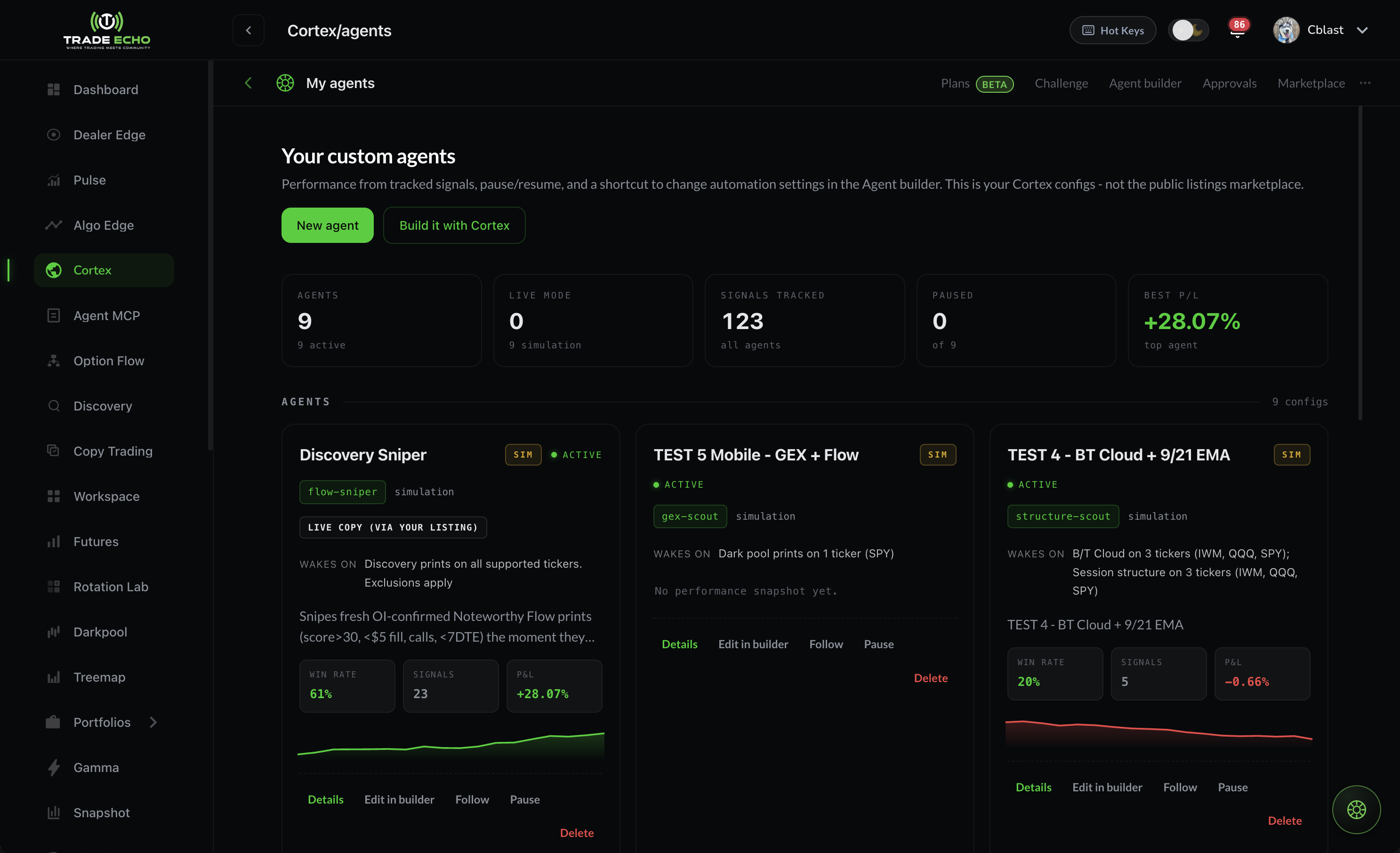 Cortex My Agents page with agent cards and performance stats
My Agents#
Your home screen for every agent you created - private or published.
From each card you can:
- See current status and headline performance
- Pause or resume the agent
- Open the detail view
- Jump back into Agent Builder to edit
Auto-pause reasons#
Agents pause themselves when something is off:
| Status | Trigger |
|---|---|
| Paused: Idle | 14 days with no signals |
| Paused: Drawdown | Sustained cumulative losses over many signals |
| Paused: Daily loss | Daily kill-switch tripped |
| Paused: Broker offline | Live broker session lost - reconnect and resume |
Agent detail#
Open an agent for five tabs:
| Tab | Contents |
|---|---|
| Overview | Config, authority summary, and current state |
| Performance | P&L, win rate, trade count, drawdown, hold time, streaks, and risk-adjusted return by period |
| Paper | Paper trade book - simulated signals with entries, exits, and P&L (open, closed, and history). Refreshes about every 30 seconds while positions are open. |
| Activity | Recent agent runs and decisions |
| Executions | Real broker fills when the agent runs in live mode on your account |
Judge agents on the paper book over a meaningful sample - not one hot week. If the agent is live, cross-check Executions against your broker statements.
Approvals#
Open Approvals (/cortex/approvals) when an agent uses review mode from Agent Builder → Set the rails.
Trade ideas queue here instead of executing immediately. Each row shows:
- The proposed intent (symbol, direction, sizing context)
- An expiry countdown
Approve to send the trade through your rails, or reject to discard it. An expired idea simply does not trade.
Review mode is the recommended way to learn what your agent actually does before switching to full auto.
The Approvals badge in the Cortex top bar shows how many intents are waiting.
Cortex surfaces (quick map)#
| Surface | Route | Doc |
|---|---|---|
| Chat | /cortex | Quick Start |
| Agent Builder | /cortex/builder | Agent Builder |
| My Agents | /cortex/agents | This page |
| Marketplace | /cortex/marketplace | Marketplace |
| Approvals | /cortex/approvals | Approvals (above) |
Live execution (creators)#
- Agents default to paper. Live is always an explicit choice in the Builder.
- Monthly / yearly members can run 1 live agent at a time. The slot is shared: your own live agent or one live Marketplace follow, not both. It trades on your active Copy Trading account (no per-agent broker choice).
- Lifetime members have no live agent limit, own or followed, and can pick a broker per agent.
- Paper agents and paper follows never use the live slot. Most members run an agent on paper for at least 7 days before going live; the Builder shows a banner until then.
- Live requires a validated broker connection. Reconnect if you see Paused: Broker offline.
- Open live positions can always close, even if your plan lapses or the live slot changes.
- Paper vs live: simulation does not guarantee live P&L.
For following someone else's agent with live auto-execute (Lifetime unlimited · monthly / yearly 1 live slot shared with your own live agent), see Marketplace → Subscribe.
Cortex agents are research and automation tools, not personalized investment advice.
Next steps#
- Agent Builder - create or edit agents
- Marketplace - browse and subscribe to community agents
- Ready-Made Custom Prompts - instruction blocks for Step 2
- Workspace - attach an agent tile to your hub layout (separate from Cortex bases)